


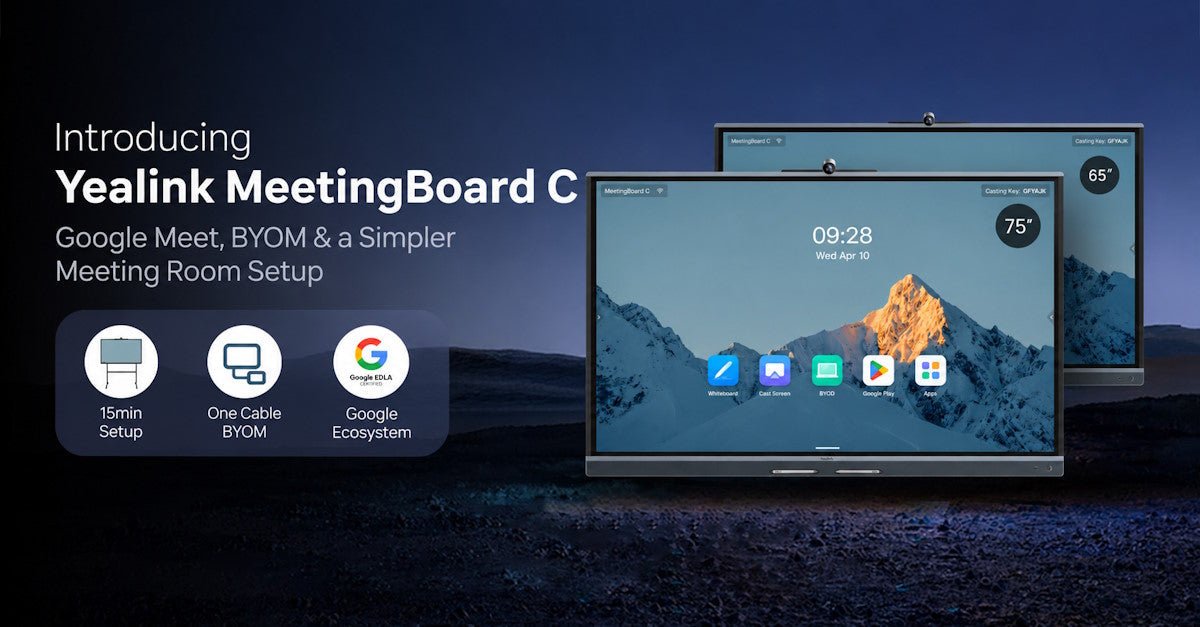
The Yealink MeetingBoard C is an all-in-one interactive meeting board built around Google apps, BYOM, video conferencing, and digital collaboration.

Does the Yealink MeetingBoard C Work With Google Meet?

Yes. Google integration is one of MeetingBoard C's biggest differentiators.
MeetingBoard C runs Android 15 with Google EDLA (Enterprise Devices Licensing Agreement) certification . In practical terms, EDLA gives compatible enterprise Android devices access to Google apps and services, including the Google Play Store. Yealink lists built-in Google Meet, Chrome, Google Drive, YouTube, and access to additional apps and content through Google Play.
For organizations already using Google Workspace, that means the conference-room display does not have to function as just a screen attached to somebody's laptop. Users can access supported Google applications directly from the board.
Google Meet and Meetings Beyond Google
Your organization may use Google Meet most of the time, but the people you meet with will not necessarily send you Google Meet invitations.
That is where MeetingBoard C's BYOM (Bring Your Own Meeting) design becomes useful.
A connected laptop can use the MeetingBoard's camera, microphones, speakers, and display while the meeting itself runs from the user's computer. That gives users and guests more flexibility when a meeting starts outside the organization's usual platform.

Plug In With One Cable
With the optional VCH51 Pro , one USB-C connection can handle BYOM, content sharing, and laptop charging while giving users access to the MeetingBoard's camera, microphones, speakers, and display.
Yealink supports up to 4K/60fps content sharing through this wired workflow. In practical terms, users can plug in a laptop, present high-resolution content, use the room's built-in audio and video, and keep the laptop powered through a single connection.
Or Leave the Laptop Behind
Supported meetings can also be joined directly from the MeetingBoard. Yealink shows one-click joining from the meeting schedule as well as QR-code joining.
That gives a room several ways to work without forcing every user into exactly the same meeting workflow.
Still deciding between a dedicated Google Meet room and a laptop-based setup? See our Google Meet room setup guide for a broader look at native, BYOD, and hybrid meeting-room options.
How Good Are the Camera and Microphones?
For a meeting board to replace separate room equipment, the built-in camera and audio need to do more than basic webcam duty.
MeetingBoard C includes a 50MP ultra-HD camera with a 98.2° horizontal field of view and an electric privacy shutter.
In practical terms, the high-resolution camera gives Yealink's framing and tracking features plenty of image detail to work with, while the wide field of view helps fit more of the meeting room into the shot without everyone crowding around the screen. The physical privacy shutter can also cover the camera when it is not in use.
Yealink also includes AI-assisted video features such as:
- Auto Framing
- Speaker Tracking
- Picture-in-Picture
- Multi-Focus
- AI Video Fence
What Does Video Fence Help With?
In a busy or open environment, you may not want people walking outside the intended meeting area to become part of the camera shot.
Yealink's AI Video Fence is designed to keep the visible meeting area focused on relevant participants and reduce distractions outside that area.
What About People Sitting Farther From the Board?
MeetingBoard C uses an 8-MEMS microphone array and is rated for up to 8 meters (~26ft) of full-duplex audio. Yealink also lists AI noise cancellation, reverberation suppression, automatic gain control, and Intelligent Audio Fence.
Those features are intended to help participants be heard throughout the room while reducing unwanted noise and reverberation.
More Than Video Calls: Interactive Whiteboarding
If the room is also used for planning, training, design discussions, or brainstorming, MeetingBoard C doubles as an interactive digital whiteboard.

Yealink lists 21ms whiteboard latency and different touch behaviors depending on how the board is being used:
- Pen tip for writing
- Palm rejection while writing
- Finger navigation
- Pen tail for erasing
The whiteboard also supports handwriting recognition in Chinese, English, and Japanese along with Ink-to-Shape conversion.
Work can be shared or exported through options including QR code, USB flash drive, and email. The board also supports content sharing through wired connections and native casting options such as AirPlay and Miracast.
Yealink's documentation also lists AI Search and AI Whiteboard Summary as planned whiteboard features for the second half of 2026, requiring a firmware update, so availability may depend on the firmware version installed on the board.
Yealink MeetingBoard C Specs at a Glance
For buyers who want the technical details without digging through the whole article:
| Feature | MeetingBoard C |
|---|---|
| Operating System | Android 15 |
| Google Platform | Google EDLA |
| Google Apps | Google Meet, Chrome, Drive, YouTube + Google Play |
| Camera | 50MP ultra-HD |
| Camera Field of View | 98.2° HFOV |
| Microphones | 8-MEMS microphone array |
| Audio Coverage | Up to 8m (~26ft) full-duplex |
| Whiteboard Latency | 21ms |
| BYOM | Wired via optional VCH51 Pro |
| Content Sharing | HDMI In, VCH51/VCH51 Pro, AirPlay, and Miracast |
| Display Sizes | 65-inch and 75-inch |
For complete technical specifications, see the Yealink MeetingBoard C datasheet (as of October 2026).
MeetingBoard C vs MeetingBoard Pro: Which One Makes More Sense?
TL;DR: MeetingBoard C is the more affordable, Google-focused MeetingBoard. You get Google EDLA, built-in Google apps, BYOM, whiteboarding, and the all-in-one MeetingBoard experience, but you give up some of the Pro model's higher-end camera, audio, larger-room, and expansion capabilities.
The MeetingBoard C and MeetingBoard Pro are both all-in-one collaboration boards, but they are aimed at somewhat different meeting-room priorities.
| Feature | MeetingBoard C | MeetingBoard Pro |
|---|---|---|
| Best Fit | Google Workspace users, BYOM, and flexible mixed-platform meeting rooms | Higher-end Teams/Zoom rooms and larger or more demanding meeting spaces |
| Platform Focus | Android 15 with Google EDLA and Google Play access | Native Teams and Zoom support, with Android or Windows solution options |
| Camera | Single 50MP camera | Triple 50MP camera system |
| Microphones | 8-MEMS microphone array | 16-MEMS microphone array |
| Audio Reach | Up to 8 meters (~26ft) full-duplex | Up to 12 meters (~39ft) full-duplex |
| Display Sizes | 65" and 75" | 65", 75", and 86" |
| Expansion | Optional mounting, wired BYOM, microphone, remote-controller, and Windows OPS accessories | Broader room expansion options, including external microphones, PTZ cameras, controllers, and Windows OPS options |
| Starting MAP* | From $2,999 | From $5,779 |
Why Use an All-in-One Board Instead of a TV + Video Bar?
A traditional conference-room system may combine a television or commercial display with a separate USB video bar, cables, laptop connections, and other collaboration equipment.
That setup can work perfectly well, but every additional component is another device that needs to be installed, connected, updated, and potentially troubleshot.
MeetingBoard C takes the opposite approach by putting more of the meeting experience into one system.
Yealink highlights MeetingBoard C's fast, plug-and-play deployment, with setup designed to take around 15 minutes. Actual setup time may vary depending on the room, mounting method, configuration, and installation requirements.
For organizations deploying multiple boards, Yealink also lists centralized management features including:
- Batch upgrades
- Configuration
- Diagnosis
- Device control
- Application management
- Device status management
- Digital signage
So the appeal is not simply having fewer cables on the wall. Standardizing more of the room around one device may also make deployment and ongoing management easier for IT teams.
MeetingBoard 65C vs 75C: Which Size Do You Need?
Yealink gives fairly straightforward guidance for choosing between the two MeetingBoard C sizes.

| Model | Yealink's Suggested Environment |
|---|---|
| MeetingBoard 65C | Small rooms, approximately 1–6 people |
| MeetingBoard 75C | Medium rooms, approximately 6–12 people, as well as open spaces and executive offices |
The 65C should make the most sense where a small group sits relatively close to the board.
The larger 75C gives a medium-size room more viewing and working space, particularly useful when several participants need to see shared content or use the interactive whiteboard.
Yealink also offers optional wall-mount, wall-stand, and floor-stand configurations, so the board does not necessarily have to be permanently installed in one location.
What's Included With MeetingBoard C?
The standard MeetingBoard C package includes the MeetingBoard C EDLA, a 3-meter (just under 10 feet) AC power cable, a 3-meter CAT5E network cable, two stylus pens, two cable ties, and a Quick Start Guide.
Mounting hardware and BYOM accessories are sold separately. If you want the one-cable BYOM experience described above, you will need the optional VCH51 Pro . Wall mounts and stand options are also available separately, depending on how you plan to install the board.
The Bottom Line
The MeetingBoard C stands out most for organizations that want a Google-friendly meeting room without giving up BYOM flexibility.
Google Workspace users get built-in access to familiar Google applications, while wired BYOM via the optional VCH51 Pro gives users and guests another way to use the room when their meeting workflow starts on a laptop.
Add the integrated camera, audio system, interactive whiteboard, and centralized management options, and MeetingBoard C becomes an interesting alternative to assembling a conference room from several separate pieces of equipment.
Need help choosing the right MeetingBoard or finding another audio and video solution?
Contact The Telecom Spot and we'll help you compare options based on your meeting platform, room size, workflow, and budget.