



Description
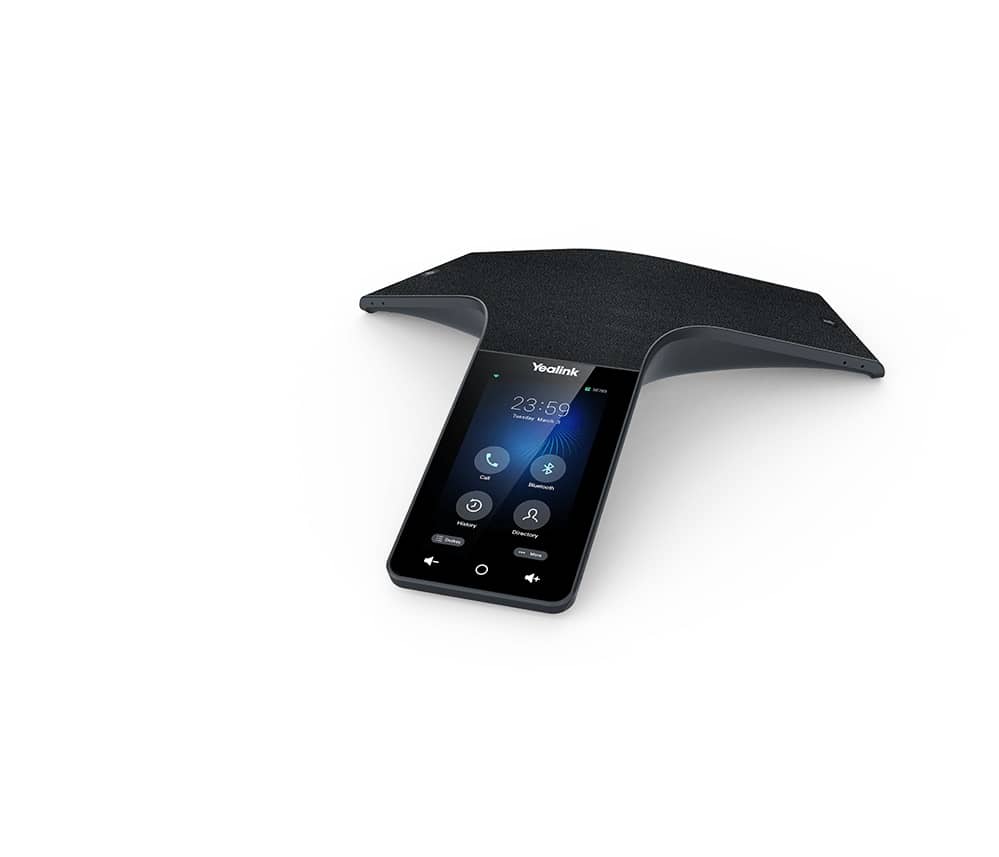
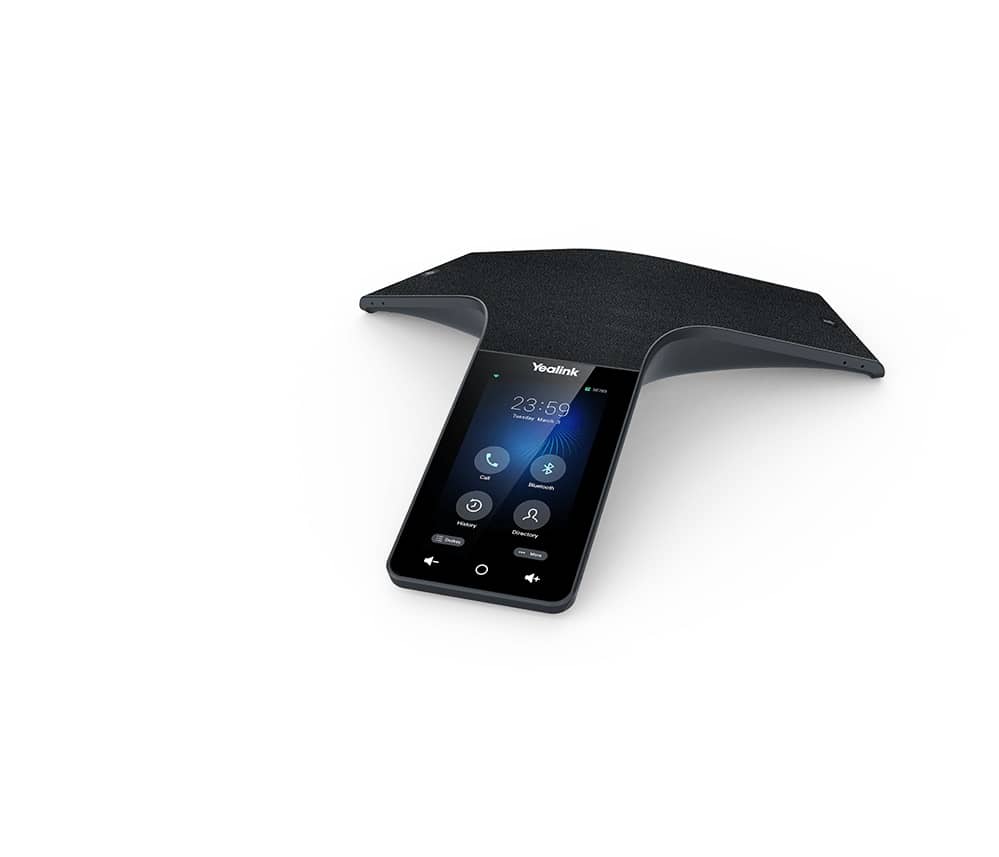
Transform your conference rooms with the Yealink CP965 Microsoft Teams Conference Phone. This flagship model delivers immersive HD audio with a 13-mic array covering up to 20 feet in 360 degrees for crystal-clear meetings. Tap-to-join via Outlook calendar sync on the 5" touchscreen. Perfect for medium to large rooms—shop now or request a quote at The Telecom Spot.
The Telecom Spot Take
If you manage conference rooms for a growing business or enterprise, you already know how poor audio kills productivity and frustrates remote participants. The CP965 fixes that with a 13-microphone array (12 for 360° pickup plus one dedicated to noise cancellation), Yealink’s Noise Proof Technology, Smart Noise Filtering, and full-duplex speakerphone with acoustic echo cancellation. Based on Android 11 and built with a spill-resistant black acoustics fabric, it looks premium and performs like a flagship. Our customers tell us it’s the easiest way to get that “everyone hears everything clearly” experience while keeping setup simple and management centralized. Whether you’re syncing Outlook calendars for tap-to-join meetings or handling 10-way calls, this phone just works—saving your team time and headaches.
Key Features
- 20-foot (6-meter) 360° voice pickup – Every attendee in a medium or large room can speak naturally and be heard with perfect clarity, no matter where they sit.
- 13-microphone array (12 + 1 noise-cancellation mic) – Delivers omnidirectional pickup while automatically filtering out unwanted sounds for professional audio every time.
- Optimal HD audio with full-duplex speakerphone and AEC – Crystal-clear conversations with no echo or cut-outs, even when multiple people talk at once.
- 5" 720 x 1280 capacitive multi-touch screen – Intuitive Teams interface lets you tap-to-join meetings, view calendars, and control calls with ease.
- Built-in Bluetooth and dual-band Wi-Fi – Wireless flexibility so you can connect headsets, expand coverage, or manage the phone without extra cables.
- Microsoft Teams-native experience – Single sign-on, Outlook calendar sync, visual voicemail, and one-click meeting join—your teams feel right at home.
- Efficient auto-provisioning & centralized management – IT teams can deploy, update, and monitor the phone remotely through Microsoft, Yealink, or Unify Square platforms.
- Spill-resistant black acoustics fabric – Looks sharp and stands up to real-world conference room use (water, oil, and stains).
- PoE power (IEEE 802.3af Class 4) with optional adapter – Simple network-powered installation; low power draw from 7.3W to 20W.
- USB-A and USB-C ports – Easy connection for peripherals or future expansions.
Technical Specifications
| Category | Details |
|---|---|
| Operating System | Android 11 |
| Display | 5" 720 x 1280 capacitive multi-touch screen |
| Audio | Optimal HD audio, full-duplex speakerphone with AEC, echo cancellation up to 320 ms, background noise suppression |
| Codecs | G722, G722.1C, G726, G.729, G.729A, G723, iLBC, PCMU (G.711A), PCMA (G.711μ), SILK |
| Microphones | 12 built-in for 360° pickup + 1 dedicated noise-cancellation microphone |
| Pickup Range | 20 feet (6 meters) |
| Speaker | 56 mm diameter, 5 W |
| Network | 1 × RJ45 10/100M Ethernet port, IPv4/IPv6, PoE (IEEE 802.3af Class 4) |
| Wireless | Built-in dual-band 2.4G/5G Wi-Fi, Built-in Bluetooth 4.2 |
| Interfaces | 1 × USB 2.0 Type-A, 1 × USB 2.0 Type-C, 1 × security slot |
| Power | Power consumption 7.3W–20W (PoE); optional external Yealink PoE adapter |
| Dimensions (W×D×H) | 328 mm × 322 mm × 62 mm |
| Operating Humidity | 10–90% |
| Storage Temperature | -10°C to 40°C (14°F to 104°F) |
| Color | Black with acoustics fabric |
What’s in the Box
- Yealink CP965 IP conference phone
- Ethernet cable (7.5 m CAT5E UTP)
- Quick Start Guide
Frequently Asked Questions
What size room is the CP965 designed for?
It’s built for medium to large conference rooms thanks to its 20-foot 360° pickup range and 13-mic array.
Does it work right out of the box with Microsoft Teams?
Yes—full native Teams certification means single sign-on, Outlook calendar sync, and tap-to-join meetings.
Can I expand the microphone coverage for even bigger rooms?
Absolutely. It supports optional Yealink expansion microphones (sold separately) for larger spaces.
How easy is it for IT to deploy and manage?
Very. Auto-provisioning, centralized management via Microsoft/Yealink/Unify Square platforms, and remote updates keep your fleet simple.
Does it need a separate power adapter?
It runs on PoE (Power over Ethernet). The optional Yealink PoE adapter is available if your switch doesn’t supply power.
Is the fabric durable for daily office use?
Yes—it’s specially treated to resist water, oil, and stains while delivering premium acoustics.