




Description
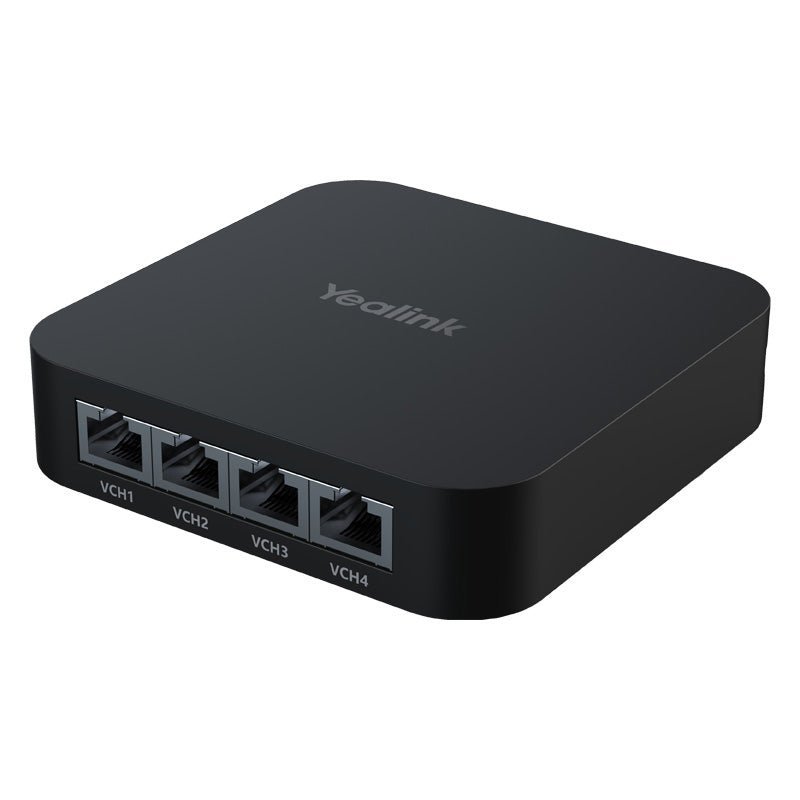
Conference rooms with multiple cameras, ceiling microphones, and speakers often end up with tangled cables and power headaches. The Yealink RCH40 E2 Room Cable Hub solves that by centralizing connections in one small, powerful device.
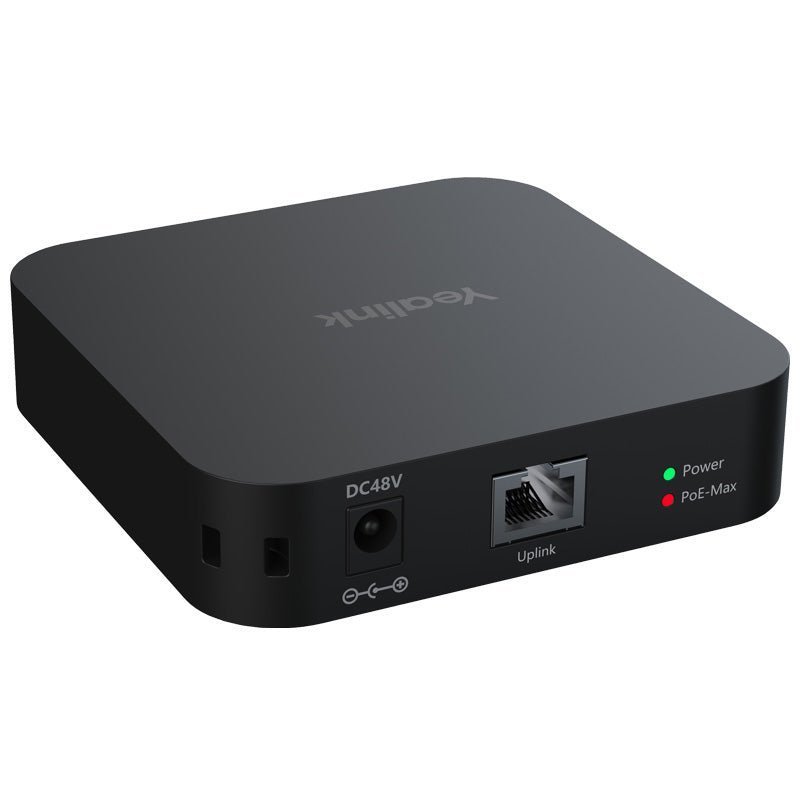
It provides four Gigabit downlink ports with PoE+ and one uplink port, backed by a 90W total power budget. Each port can deliver up to 30W, giving you enough headroom to run several professional AV devices over standard Ethernet cables. The E2 version is the one you need when your system includes Yealink CM20 AI-powered ceiling microphones or CS10 network ceiling speakers. It disables Energy Efficient Ethernet (EEE) and adds QoS, ensuring stable performance with these sensitive devices and other Dante-compatible gear.
Whether you are building out a medium conference room or scaling a larger collaboration space, the RCH40 E2 keeps everything neat, powered, and running smoothly with minimal wiring.
Key Features
- 90W Total PoE Budget (30W per port) — Power multiple cameras, microphones, and speakers through a single Ethernet cable run. This reduces the number of power supplies and outlets needed, creating cleaner rooms that are faster to install and easier to maintain.
- EEE Disabled + Full CM20/CS10 Compatibility — The E2 version turns off Energy Efficient Ethernet so it works properly with Yealink CM20 ceiling microphones, CS10 network speakers, and Dante devices. This prevents the audio dropouts or connection issues that can occur with standard switches.
- Yealink EasyConnect — Plug the uplink directly into a compatible Yealink device’s VCH port and power the hub without a separate adapter. This simplifies cabling and cuts down on the number of power connections required in the room.
- SafeConnect PoE Priority Management — When power demand approaches the 90W limit, the hub intelligently powers down lower-priority ports first to protect critical devices. Port priority follows Port 1 > Port 2 > Port 3 > Port 4, giving you predictable behavior in shared or high-use spaces.
- QoS with AV-Optimized Traffic Prioritization — Built-in Quality of Service on the E2 model helps ensure time-sensitive audio and video packets get through first. This keeps calls clear even when the network carries other traffic.
- Ultra-Compact Form Factor (100 × 100 × 23 mm) — The square, low-profile design fits discreetly under tables, behind displays, or in ceiling spaces. It preserves room aesthetics and valuable real estate while still delivering enterprise-grade capability.
- Full Gigabit Performance on All Ports — Every port runs at 10/100/1000 Mbps, handling 4K video streams and multi-channel audio without bottlenecks.
Technical Specifications
Ports
| 1 × Gigabit Ethernet Uplink Port |
| 4 × Gigabit Ethernet Downlink Ports (IEEE 802.3af/at PoE+) |
PoE Power
| Standards | IEEE 802.3af / 802.3at |
| Maximum per port | 30W |
| Total budget | Up to 90W |
| PoE Priority (SafeConnect) | Port 1 > Port 2 > Port 3 > Port 4 |
Performance & Software Features
| QoS | Supported (E2 version) with configurable priority queues optimized for AV traffic |
| Energy Efficient Ethernet (EEE) | Disabled on E2 version for AV device compatibility |
| EasyConnect | Supported — power via compatible Yealink VCH port |
Physical
| Dimensions (W × D × H) | 100 mm × 100 mm × 23 mm |
| LEDs | 1 × Power status, 1 × PoE budget status |
| Form factor | Compact desktop / discreet placement (suitable for under-table, behind-display, or ceiling mounting) |
Power Input
Powered via PoE from uplink (EasyConnect) or external power adapter (PSE 48V 2A recommended)
Environmental
| Operating humidity | 5% – 90% |
Compatibility Notes
- Required for proper operation with Yealink CM20 AI-Powered Ceiling Microphones and CS10 Network Ceiling Loudspeakers in multi-unit configurations
- Works with Dante AV devices and other 802.3af/at compliant cameras, mics, and speakers
- Designed to complement Yealink MeetingBar, MVC, ZVC, and AVHub systems
- Supports expanded configurations (up to 4× CM20 + 4× CS10 in properly designed systems using a compliant PoE+ switch)
Comparison at a Glance
Yealink RCH40 E2 vs. Standard Unmanaged Gigabit PoE Switch
- Purpose-built for professional AV: EEE disabled, EasyConnect, SafeConnect, and AV-tuned QoS vs. generic switch that may have EEE enabled and lacks these AV-specific features.
- Intelligent power management protects critical devices vs. basic PoE without priority control.
- Compact, meeting-room-optimized size vs. bulkier typical switches.
- Guaranteed compatibility with CM20, CS10, and Dante devices vs. potential timing or connection issues.
Yealink RCH40 E2 vs. Direct Connection to AVHub PoE Ports
- Significantly expands capacity — supports up to 4 CM20 + 4 CS10 in supported configurations vs. more limited direct budget and port count on most AVHubs.
- Centralizes cabling into one clean hub vs. multiple individual cable runs back to the AVHub.
- Adds SafeConnect priority protection and EasyConnect powering options.
Frequently Asked Questions
What is the difference between the standard RCH40 and the RCH40 E2?
The RCH40 E2 disables Energy Efficient Ethernet (EEE) and enables QoS. This makes it compatible with Yealink CM20 ceiling microphones, CS10 speakers, and Dante devices. The standard RCH40 has EEE enabled and is not recommended for these sensitive AV components.
How much power can the RCH40 E2 actually deliver?
It provides up to 90W total across the four downlink ports, with a maximum of 30W on any single port. This is sufficient for typical multi-device setups such as several CM20 microphones (approximately 9W each) and CS10 speakers (approximately 24W each) in supported configurations.
Can I use the RCH40 E2 with non-Yealink equipment?
Yes. It functions as a standard 5-port Gigabit PoE+ switch for any 802.3af/at compliant devices. Its special advantages (EEE disabled, EasyConnect, SafeConnect, and QoS) deliver the greatest benefit in Yealink video conferencing and Dante AV environments.
Is this hub only for large conference rooms?
While it excels in medium-to-large rooms that need multiple mics and speakers, its small size and flexible powering options also make it useful in smaller huddle spaces or future-proof installations where you want clean cabling and reliable PoE capacity.
How does SafeConnect actually protect my devices?
It continuously monitors total PoE draw. If connected devices exceed the 90W budget, the hub automatically powers down ports starting from the lowest priority (typically Port 4) to keep higher-priority devices running. This gives predictable behavior in busy or shared meeting rooms.