




Description
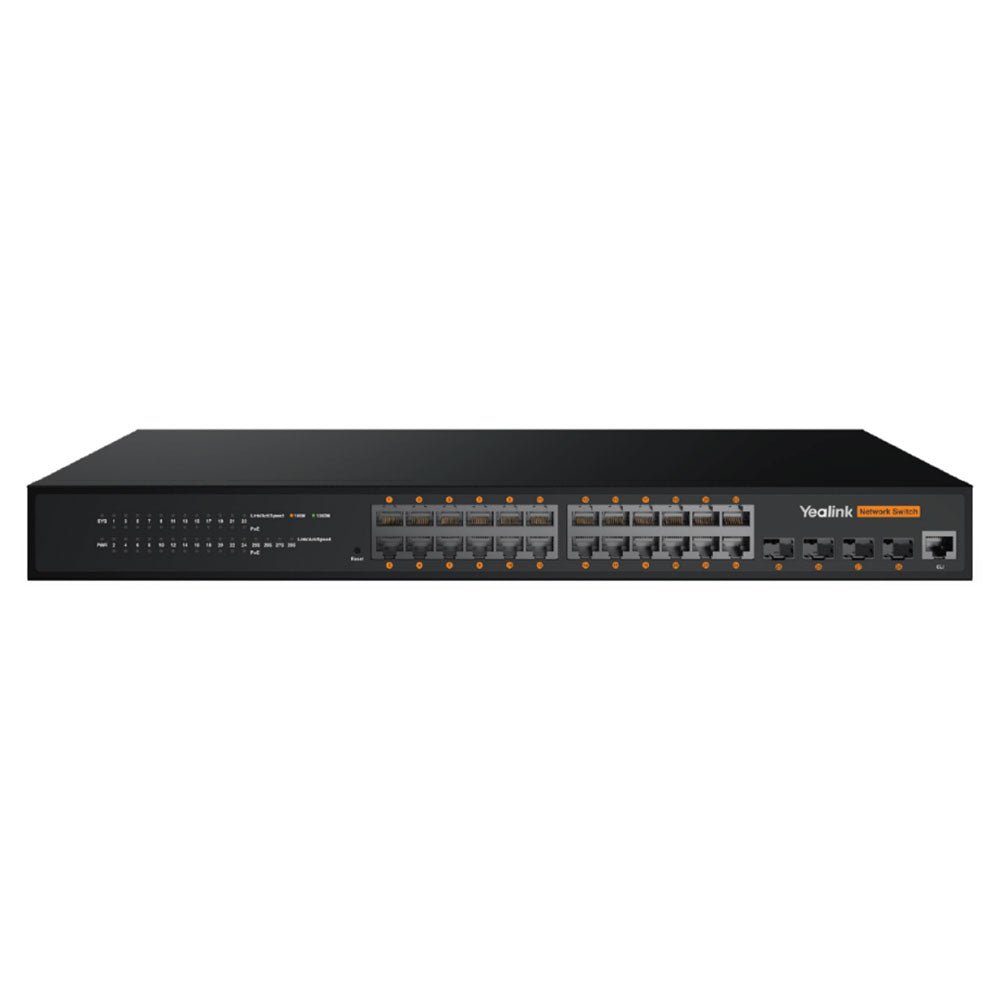
Modern meeting rooms and training spaces now pack multiple 4K cameras, ceiling microphones, video bars, encoders, and professional audio systems. Running all of that traffic smoothly on a standard network switch often creates congestion, complicated cabling, or dropped frames. The Yealink RCH240 solves these problems as a purpose-built 24-port L2+ managed AV switch. It delivers high-capacity connectivity specifically optimized for professional AV over IP while powering devices directly over Ethernet. With intelligent multicast handling and fiber uplinks for larger installs, it keeps everything stable and simple.
The Telecom Spot Take
For customers whose AV projects have grown beyond a single small room, the RCH240 provides the port density, power headroom, and traffic intelligence needed to connect everything reliably. Its 370W PoE+ budget lets you power cameras, microphones, and encoders from one switch instead of adding injectors or separate power runs. The four SFP fiber uplinks handle aggregation or longer campus links without quality loss. When you’re deploying Yealink MVC or MTR systems alongside Dante or AES67 audio, this switch simplifies the network and helps maintain consistent performance during peak use. IT directors and facilities managers planning multi-device or multi-room rollouts will find it scales cleanly where smaller switches run out of capacity.
Key Features
- Optimized for Yealink AV over IP – Seamless integration with Yealink MVC and VCH devices
- High-Performance L2+ Managed Switches – 24 Gigabit PoE ports plus 4 Gigabit fiber uplinks
- Power Over Ethernet (802.3af/at) – 370 W (RCH240) total PoE budget
- Plug and Play – No configuration needed; ideal for Yealink AV deployments
- Dante & AES67 Audio Protocols – Ensures professional audio network compatibility
- IGMP Snooping Enabled by Default – Efficient multicast traffic for video and audio
- Silent or Low-Noise Operation – Fanless design on RCH80; dual fans for RCH240 cooling
- Flexible Mounting Options – Rack-mount or desktop installation
Please see the Yealink RCH80/RCH240 Datasheet for more details.
Yealink RCH80/RCH240 Technical Specifications
| Model | RCH80 | RCH240 |
|---|---|---|
| Port Configuration | 8 × Gigabit PoE ports + 2 × Gigabit fiber ports | 24 × Gigabit PoE ports + 4 × Gigabit fiber ports |
| Switching Capacity | 336 Gbps / 3.36 Tbps | 336 Gbps / 3.36 Tbps |
| Packet Forwarding Rate | 28 Mpps | 42 Mpps |
| Dimensions (W×D×H) | 280 × 180 × 44 mm | 440 × 208 × 44 mm |
| Power Consumption | < 10 W | < 17 W |
| PoE Support | 802.3af/at (130 W total) | 802.3af/at (370 W total) |
| Fans | None (fanless operation) | 2 fans (active cooling) |
| Power Supply | AC 100 – 240 V, 50 Hz ± 10 % | AC 100 – 240 V, 50 Hz ± 10 % |
| Installation Options | Rack-mounted or desktop | Rack-mounted |
| Environmental Conditions | Operating: −10 °C – 50 °C (10 – 90 % RH non-condensing)Storage: −40 °C – 75 °C (5 – 95 % RH non-condensing) | Same as RCH80 |
| VLAN Support | 4K VLAN entries, GVRP, QinQ, Private VLAN, Voice VLAN | Same |
| Loop Protection | STP / RSTP / MSTP, BPDU protection, root protection, loop protection, EPS and ERPS protocols | Same |
| Multicast | IGMP v2/v3, Snooping, Fast Leave | Same |
| QoS & Traffic Control | 802.1P/DSCP priority mapping, SP / WRR / SP+WRR scheduling, Tail-Drop & WRED queue management | Same |
| Management Interface | Web-based browser management | Web-based browser management |
Comparison at a Glance
Yealink RCH240 vs RCH80
- Port Count: RCH240 offers 24 PoE ports versus 8 on the RCH80 — ideal when you need to connect more cameras, microphones, encoders, and endpoints in one location.
- PoE Budget: 370 W versus 130 W — supports significantly more powered devices or higher-draw equipment without extra power supplies.
- Uplinks: 4× SFP fiber versus 2× — better suited for aggregating traffic or connecting distant switches across larger spaces.
- Switching Capacity: 56 Gbps versus 20 Gbps — handles heavier simultaneous AV traffic loads common in enterprise or multi-device rooms.
- Best For: Choose the RCH240 for large meeting rooms, training centers, or multi-room AV over IP deployments. The RCH80 fits compact huddle rooms or single-room setups with fewer endpoints.
Frequently Asked Questions
What devices work best with the Yealink RCH240?
It is optimized for Yealink MVC and MTR room systems, PTZ cameras, video conferencing bars, AVoIP encoders/decoders (such as EN300/DE300), professional microphones, and Dante or AES67 audio equipment. Any IP-based AV device benefits from its traffic handling and PoE capabilities.
Does the RCH240 need special configuration with Yealink devices?
Many Yealink AV over IP devices support plug-and-play operation. The switch automatically handles compatible traffic in most cases, while the web interface allows fine-tuning for advanced deployments.
How many devices can the 370W PoE budget realistically support?
Most conference room devices draw 5–15 W. In typical use the RCH240 can comfortably power 20+ endpoints at once. Higher-draw equipment (certain PTZ cameras or displays) uses more, so plan according to your specific device power requirements.
Can I use the RCH240 with non-Yealink or non-AV network gear?
Yes. It operates as a full-featured L2+ managed Gigabit switch with standard enterprise capabilities including VLANs, QoS, and security features. The AV optimizations are additive, making it versatile for mixed environments.
Is the RCH240 quiet enough for meeting room environments?
Yes. Its fanless design ensures completely silent operation, making it suitable for installation in or near boardrooms, training spaces, and other noise-sensitive areas.