




Description
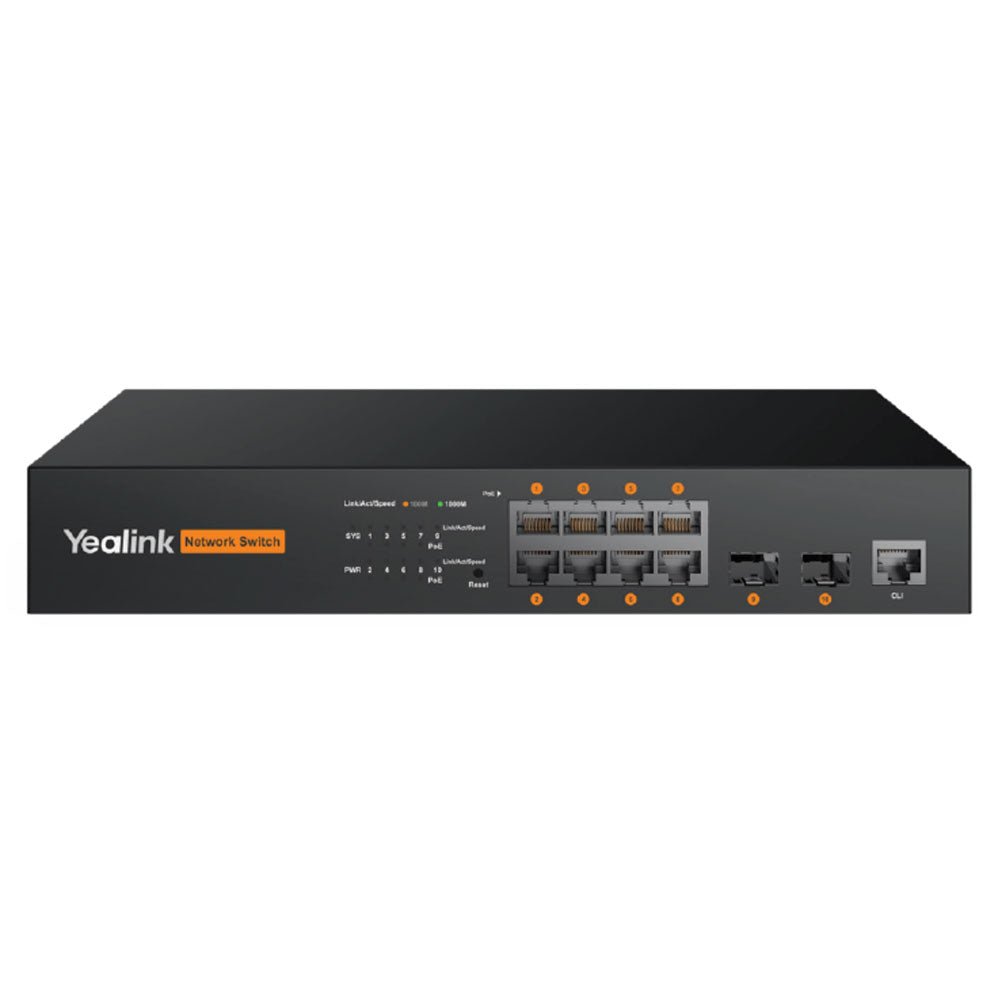
The Yealink RCH80 is an 8-port L2+ web-managed AV switch built specifically to handle the demands of modern AV over IP installations. It gives IT teams and facilities managers a straightforward way to connect and power multiple devices—cameras, pro audio gear, encoders, and Yealink MTR systems—while keeping high-bandwidth video and audio traffic running smoothly across the network.
What sets the RCH80 apart is its focus on real-world AV performance. It supports Yealink’s own AV protocols along with industry standards like Dante and AES67, and it includes targeted multicast optimization so streams stay clear even when several rooms or devices are active at once. The generous 130W PoE+ budget powers connected endpoints directly, reducing cable clutter and extra power supplies. Two Gigabit SFP fiber uplinks add flexible long-distance or redundant connections when your installation grows.
Key Features
- Optimized for Yealink AV over IP – Seamless integration with Yealink MVC and VCH devices
- High-Performance L2+ Managed Switches – 8 Gigabit PoE ports plus 2 Gigabit fiber uplinks
- Power Over Ethernet (802.3af/at) – 130 W (RCH80) total PoE budget
- Plug and Play – No configuration needed; ideal for Yealink AV deployments
- Dante & AES67 Audio Protocols – Ensures professional audio network compatibility
- IGMP Snooping Enabled by Default – Efficient multicast traffic for video and audio
- Silent or Low-Noise Operation – Fanless design on RCH80; dual fans for RCH240 cooling
- Flexible Mounting Options – Rack-mount or desktop installation
Please see the Yealink RCH80/RCH240 Datasheet for more details.
Yealink RCH80/RCH240 Technical Specifications
| Model | RCH80 | RCH240 |
|---|---|---|
| Port Configuration | 8 × Gigabit PoE ports + 2 × Gigabit fiber ports | 24 × Gigabit PoE ports + 4 × Gigabit fiber ports |
| Switching Capacity | 336 Gbps / 3.36 Tbps | 336 Gbps / 3.36 Tbps |
| Packet Forwarding Rate | 28 Mpps | 42 Mpps |
| Dimensions (W×D×H) | 280 × 180 × 44 mm | 440 × 208 × 44 mm |
| Power Consumption | < 10 W | < 17 W |
| PoE Support | 802.3af/at (130 W total) | 802.3af/at (370 W total) |
| Fans | None (fanless operation) | 2 fans (active cooling) |
| Power Supply | AC 100 – 240 V, 50 Hz ± 10 % | AC 100 – 240 V, 50 Hz ± 10 % |
| Installation Options | Rack-mounted or desktop | Rack-mounted |
| Environmental Conditions | Operating: −10 °C – 50 °C (10 – 90 % RH non-condensing)Storage: −40 °C – 75 °C (5 – 95 % RH non-condensing) | Same as RCH80 |
| VLAN Support | 4K VLAN entries, GVRP, QinQ, Private VLAN, Voice VLAN | Same |
| Loop Protection | STP / RSTP / MSTP, BPDU protection, root protection, loop protection, EPS and ERPS protocols | Same |
| Multicast | IGMP v2/v3, Snooping, Fast Leave | Same |
| QoS & Traffic Control | 802.1P/DSCP priority mapping, SP / WRR / SP+WRR scheduling, Tail-Drop & WRED queue management | Same |
| Management Interface | Web-based browser management | Web-based browser management |
FAQ
What kinds of devices connect best to the Yealink RCH80?
It is purpose-built for Yealink MTR systems, IP cameras, professional audio equipment, and Yealink AVoIP encoders/decoders such as the EN300 and DE300. It also works with any Dante or AES67 compatible gear thanks to its protocol support.
How does the RCH80 help with video and audio quality over the network?
Its IGMP Snooping and Fast Leave features, combined with native support for Yealink AV protocols, Dante, and AES67, optimize multicast traffic so multiple high-bandwidth streams can run simultaneously without causing congestion or quality loss.
Can I install the RCH80 inside a conference room or does it need to stay in a server closet?
Yes. The fanless design and quiet metal chassis make it suitable for installation near or inside meeting spaces where noise must be kept to a minimum, while still offering full rack-mount options for traditional IT rooms.
How much PoE power is realistically available?
The 130W total budget comfortably powers typical combinations of cameras (often 5–15W each), microphones, and low-power encoders in a single room or small multi-room setup without needing separate power injectors.
Does the RCH80 require special configuration for Dante or AES67 audio?
It provides the necessary multicast optimization and protocol compatibility out of the box. Standard IGMP settings and QoS prioritization are usually sufficient; the web interface makes fine-tuning straightforward for most AV integrators.
Is the RCH80 a good fit for growing organizations that may add more rooms later?
Absolutely. The two SFP fiber uplinks and solid L2+ feature set give you clean options to extend the network or add redundancy as your AV footprint expands, without replacing the core switch immediately.